How to Manage 10+ Shopify Stores Without Chaos
A playbook for how to manage 10+ Shopify stores: process design, inventory sync, order consolidation, bulk tools, and vendor picks.
Key points — AI summary
- Four failure modes hit at scale — inventory chaos from unsynced stock, product data fragmentation across stores, order/fulfillment silos, and analytics isolation that forces manual spreadsheet rollups
- Build the operations playbook before buying tools: assign clear ownership, pick one source of truth for product and inventory data, standardize runbooks, and set staff permissions per store
- Four non-negotiable tooling layers: a consolidated order/revenue dashboard, real-time inventory sync, bulk product/CSV operations, and shipment tracking plus dispute management
- Three ownership models to weigh — self-hosted/custom build, subscription with source-code access, or subscription-only — trading upfront cost against vendor lock-in
- Before committing to a tool, verify real-time sync (not batch), per-store permissions, API uptime, integrations, data export/ownership, and hands-on onboarding
Summarized from this article by our writing pipeline; reviewed by the author.
On this page
Managing 10+ Shopify stores is like orchestrating a complicated kitchen: every station needs clear process, real-time visibility, and tools that keep things synchronized. Without the right system, you'll spend your day juggling browser tabs, chasing inventory errors, and reconciling numbers that should have synced automatically. This guide shows you how to build repeatable operations that scale without chaos.
The Core Challenges You'll Face
Before jumping to solutions, understand what breaks at scale. Shopify was designed for single-store operators—each store runs independently, with its own inventory, customer database, and order pipeline.
Inventory Chaos is the first crisis. When you sell the same product on Store A and Store B without sync, overselling is inevitable. Real-time inventory tracking across dozens of stores requires infrastructure Shopify can't provide natively. Shopify's guidance emphasizes multilocation inventory management as central to multistore success, with features like real-time tracking, low-stock alerts, and stock transfers essential for coordination.
Product Data Fragmentation comes next. A title change or pricing update on Store A doesn't propagate to Store B unless you build the plumbing yourself. After a few months of manual updates, your product data has drifted so far that what sells on Store A looks completely different on Store B—even though they're the same product.
Order and Fulfillment Silos mean your team is pulling orders from multiple Shopify dashboards, cross-referencing spreadsheets, and making fulfillment decisions per store. Without a unified view, mistakes compound: wrong items ship, refunds slip through cracks, and customer communication fragments.
Analytics Isolation forces you to manually piece together business insights. Shopify reports traffic, revenue, and conversion rates per store. To see your total revenue across all 10+ stores, you're copying numbers into a spreadsheet—a workflow that breaks the moment you add Store 11.
Advertising Account Risks emerge when you run ads across multiple stores. Platforms like Facebook require careful account setup across multiple businesses. Using a single ad account for multiple brands can trigger restrictions, and improper Business Manager architecture may cause cascading account limitations. Each store should use its own ad account with proper organizational structure to minimize risk.
Process First: Design Your Operations Playbook
Before buying tools, nail your operating model. Here's what works:
Establish Governance. Assign an operations manager or team to own multi-store systems. This role owns inventory sync, product data standards, finance reconciliation, and customer support escalations. Without clear ownership, accountability evaporates.
Create a Single Source of Truth. Whether it's a PIM (Product Information Management system), an ERP, or a shared database, decide: where does product data live? Where does inventory? If it's not documented, it doesn't exist. Once you pick your source, commit to it.
Standardize Operations. Create runbooks for common workflows:
- How do you update a product across stores? (e.g., always through the PIM, never direct in Shopify)
- How long before inventory syncs after a sale? (same-day, or hourly acceptable?)
- Who approves promotions before they go live?
- How do you handle disputes or chargebacks?
Without standards, each store owner will build their own process, and inconsistency breeds errors.
Establish Clear Staff Permissions. Some team members should see all stores; others should see only their region. Shopify Plus supports granular role-based access control. If you're on standard Shopify, this is trickier—you may need a separate login per store, which is why single-dashboard tools become necessary at scale.
Tooling: The 4 Non-Negotiable Layers
Once your operations playbook is set, implement tools to enforce it.
1. Order and Revenue Consolidation
You need one dashboard showing orders, revenue, and key metrics across all stores in real time. This is the first thing your team looks at each morning.
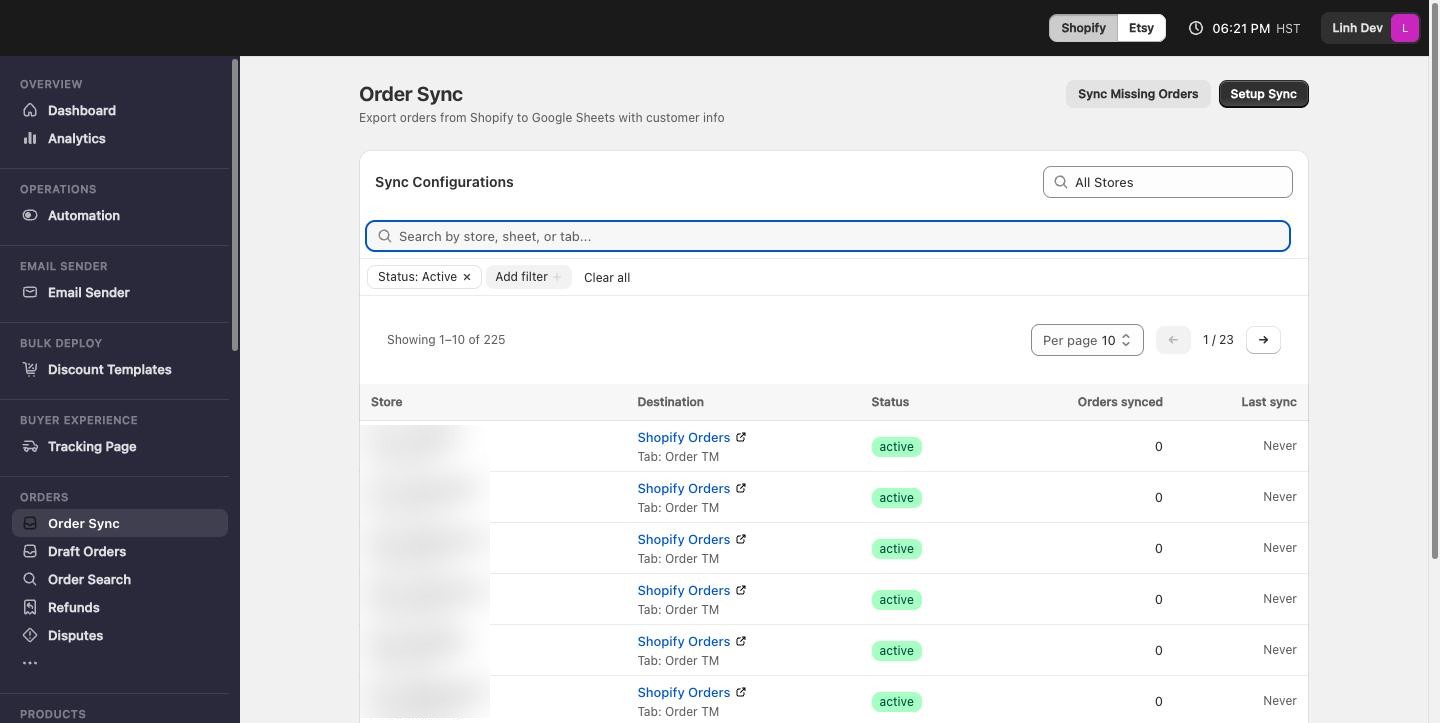
Shopify Plus provides Organization Admin, a centralized dashboard showing performance metrics across storefronts with multi-store reporting capabilities. If you're not on Plus, you'll need a third-party integration that syncs orders and financial data from all your stores into a single real-time dashboard and auto-exports to Google Sheets for easy reporting.
2. Inventory Sync
Choose your approach:
- PIM approach: Use a Product Information Management system (Catsy, Syndigo) as your single source. It syncs inventory and product data to all stores via APIs.
- ERP approach: Systems like Cin7 or NetSuite integrate with Shopify, handling inventory allocation across stores automatically.
- Lightweight approach: Use a multi-store dashboard that syncs inventory across your stores without a full PIM, tracking which products are low or out of stock across all locations.
The key is automation. Spreadsheets will fail. Real-time sync prevents overselling and frees your team from manual updates.
3. Bulk Operations & Product Management
Updating 500 products across 10 stores is impossible through the Shopify admin. You need bulk tools that accept CSV uploads and push changes—titles, collections, tags, prices—across stores at once.
For email management, if your team handles customer support across stores, consolidate Gmail or Outlook into a single inbox so no email falls through the cracks. Forwarding rules and shared labels help, but a dedicated team inbox is cleaner.
4. Shipment Tracking & Dispute Management
Once orders are placed, tracking and disputes dominate your operational day. 17TRACK's tracking API integrates with 3300+ carriers worldwide and supports webhook automation so you're alerted when shipments are stuck. This prevents the "where's my package?" churn that eats support resources.
For disputes and chargebacks, you need a system that flags evidence deadlines and sorts by priority—because missing a dispute deadline costs you the full refund. A consolidated dashboard tracking all disputes across stores saves your team hours of manual work per week.
Ownership Models: Pick Your Risk Profile
Once you've chosen tooling, decide whether you want to own or lease it.
Self-Hosted / Custom Build: Buy the source code outright and host it yourself. You control updates, data, and deployment. Upfront cost is higher; maintenance is your responsibility.
Subscription + Full Source Access: Pay monthly for a platform that's fully hosted and maintained, with the option to own the source code if you outgrow it. This is the middle ground: you get hands-off operations without lock-in.
Subscription Only: Rent the tool; never own the code. Lowest upfront cost, but you're dependent on the vendor's roadmap and pricing over time.
Many vendors claim "no per-store fees," but verify the fine print. Some charge per store or per order volume, so map the free-versus-paid tradeoffs before you commit. The best deal for multi-store operators is a flat license that works whether you run 5 or 150 stores—because your marginal cost of adding a new store is near zero.
A Practical Workflow
Here's what a well-run multi-store operation looks like:
- Morning: Ops manager checks the consolidated dashboard. Orders across all stores, revenue targets, any stuck shipments or disputes flagged.
- Inventory Updates: Products auto-sync from the central PIM to all stores every 4 hours. No manual work.
- Bulk Changes: Marketing wants to promote a product. Change it once in the PIM; all stores reflect it within minutes.
- Support: Customer emails land in a unified inbox. Support team grabs the next email, sees the customer's order history across all their stores, responds.
- Finance: Weekly revenue report auto-exports to Google Sheets, breaking down sales by store, ad spend, payouts—one sheet, all stores.
- Disputes: Any chargeback lands in the disputes tracker with the evidence deadline highlighted. Ops team handles it before the clock runs out.
This workflow is impossible with manual spreadsheets and tab juggling. It requires integration.
Choosing Your Tool: What to Verify
Before committing, test these specifics:
- Real-time sync: Are updates instant or batch? Batch (daily/weekly) is dangerous for inventory.
- Permissions: Can you grant team members store-specific access? Or is it all-or-nothing?
- API stability: What's the uptime guarantee? Can the tool handle your peak order volume?
- Integrations: Does it connect to your accounting software, CRM, or shipping partner?
- Data ownership: If you leave, can you export everything? Is source code available?
- Onboarding: Does the vendor do a guided setup on your actual stores, or is it DIY docs?
Request a demo on your own stores, not a demo environment. Real data surfaces real issues.
Where to Start
Pick the one thing causing the most pain right now: Is it order chaos? Inventory overselling? Finance confusion? Start there, then layer in other tools. You don't need perfection on day one.
The difference between chaos and scale is process and visibility. Build one, invest in the other, and managing 10+ stores goes from impossibly hard to just a job.
Go deeper
- Automate Shopify Shipping and Tracking — setting up hands-off tracking updates and delivery notifications for every order.
- Shopify Analytics KPI Multiple Stores — the metrics worth consolidating when you report across a whole store portfolio.
- Shopify Order Management Best Practices — keeping order pipelines clean and consistent as volume grows.
- Automate Shopify Without Paid Apps: Free Native Tools — squeezing more out of Flow and native features before buying extra tooling.
- Shopify Multi-Currency Multiple Stores: Setup & Best Practices — selling in local currencies across a portfolio of stores.
- Shopify Chargeback Prevention: How-To Guide — cutting disputes off before they hit your dashboard.
- How to Reduce Your Shopify App Costs — trimming per-store app subscriptions that balloon at scale.
Sources
- 10 Strategies to Manage Multiple Retail Stores for Growth (2025) - Shopify
- Shopify Multi-Store Management Tips & Strategy | Talk Shop
- Simplified User and Multi-Store Management - Shopify
- Shopify Help Center | Organization analytics
- Shopify Plus Pricing
- 17TRACK Tracking API Documentation
- About Advertising Restrictions | Meta Business Help Center
FAQ
What breaks first when you scale to 10+ Shopify stores?
Inventory chaos — selling the same product across stores without real-time sync leads to overselling; product data fragmentation, order and fulfillment silos, and analytics isolation follow close behind.
Should I buy tools or design my process first?
Design the operations playbook first — assign clear ownership, pick one source of truth for product and inventory data, and standardize runbooks — then buy tools to enforce it, not the other way around.
Which tooling layers are non-negotiable for multi-store operations?
Four: a consolidated order and revenue dashboard, real-time inventory sync, bulk product/CSV operations, and shipment tracking with dispute management.
How do I avoid per-store pricing surprises?
Read the fine print — some vendors charge per store or per order volume; a flat license that costs the same at 5 or 150 stores keeps your marginal cost of adding a store near zero.